Build your own CRM.
Leave today with Claude set up and your people in one place.
Three parts. One hour.
Claude on your laptop
Plug in your tools
Your CRM
An assistant that works on your computer.
It reads your files, writes for you and builds small tools. You talk to it in plain English.
Five steps. We do it with you.
- Download the Claude app claude.ai/download
- Sign in Code needs the Pro or Max plan
- Open the Code tab
- Pick a folder for your business
- Say hi "What can you help me with?"
Stuck? Raise your hand.
A connector is a plug.
It lets Claude use one of your accounts. You approve each one, and you can unplug it any time.
Plug in what you use.
Same five taps for every plug.
- Open Settings, then Connectors
- Find the app you want
- Tap Connect
- Sign in to that app and tap Allow
- Test it "What's on my calendar this week?"
Four rules we never break.
Same idea. Same rules.
Look in its settings for Connectors or Apps. Plug in the same starter set.
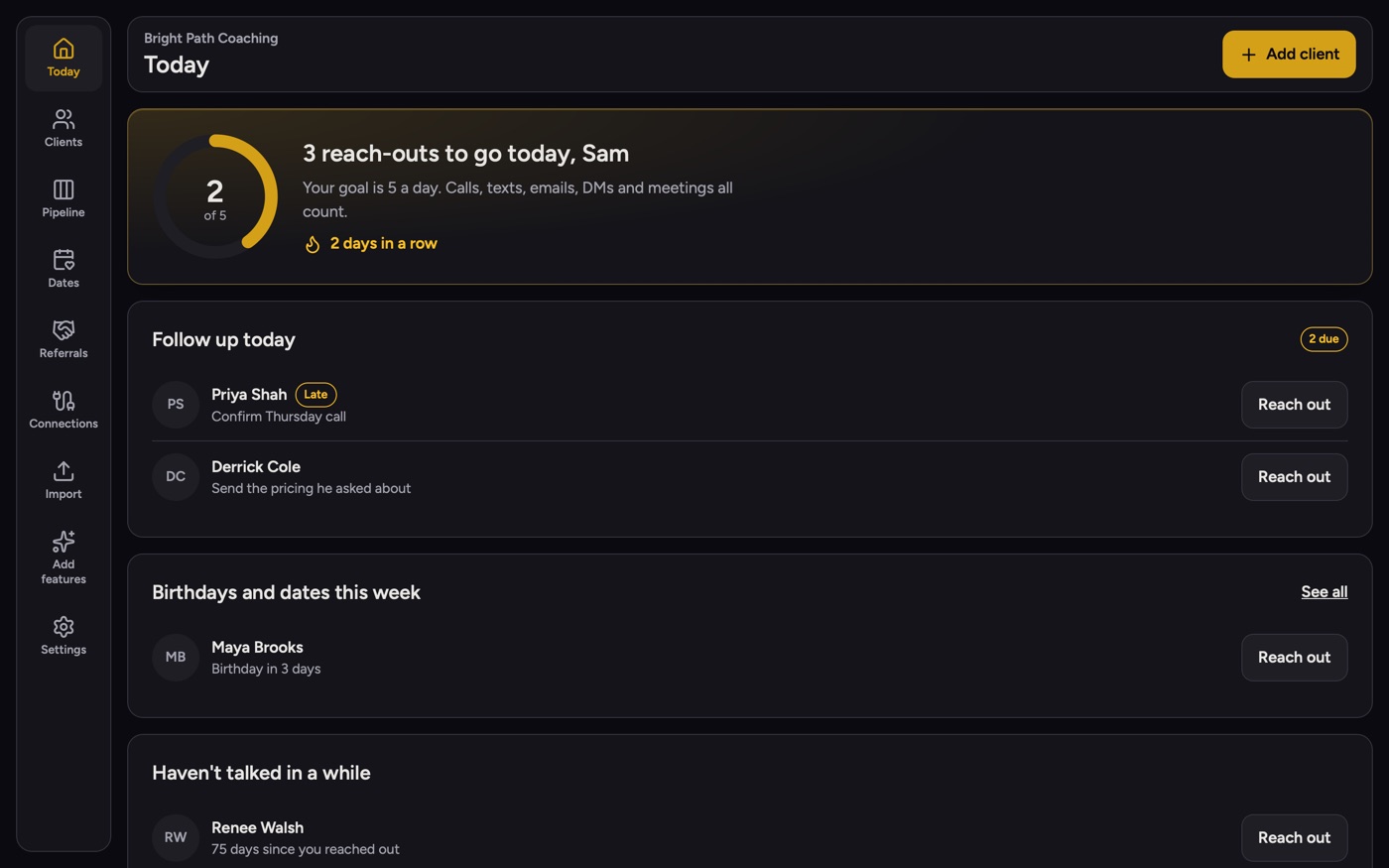
Who to talk to today.
One place for your people, your follow-ups and every conversation.
Everyone starts online.
Use it online
Sign in with Google and start. Nothing to install. Works on your phone.
Run your own copy
It lives on your computer. Claude can rebuild any part and pull in your calendar, texts and email.
Which one sounds like you?
Client Roster
You work with clients over weeks or months and want nobody to slip.
Hit List
Your business runs on relationships and referrals over a long time.
Gift Book
You sell to customers who come back, and you like to send a thank-you.
- Tap Sign in with Google use the email you joined 1BB with
- Pick your type
- Tap Start using it here
- Add 5 people, or import a list
One message. Claude does the rest.
Reach out to 3 people from your Today screen.
A text, a call or a DM. It counts.
 1 / 15